
Create an Access Token
Generate a Celoxis token for MCP
- Open the API Guide
- Open Celoxis.
- Click your Profile menu in the upper-right corner.
- Select API.
- On the Celoxis APIv2 Guide page, click Generate Access Token.
- Create the token
The Your API Access Token window opens.
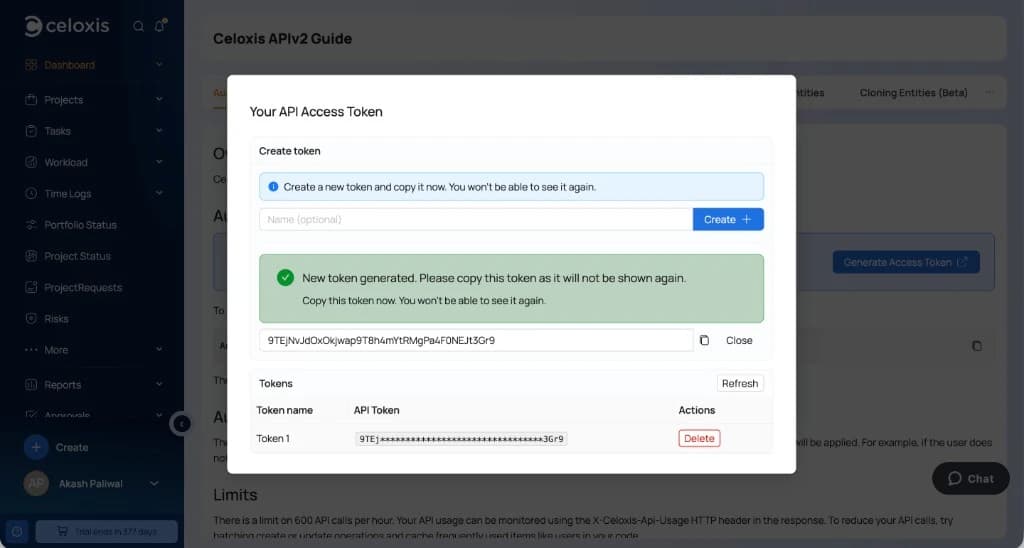
- Optionally enter a name (for example, ChatGPT MCP).
- Click Create +.
- Copy the token immediately. Celoxis displays the complete token only once.
- Click Close.
If you receive a message to contact an administrator, ask a Celoxis administrator to create an access token for you.
Each user can create up to five access tokens. If a token is lost or compromised, delete it from this window and create a new one.