
ChatGPT Desktop verbinden
Add Celoxis as a custom MCP server
Sie benötigen lediglich:
- The Celoxis MCP URL
- Your access token
You do not need Developer mode, Node.js, or environment variables.
- Add the Celoxis MCP server
- Open ChatGPT Desktop.
- Open Settings.
- Navigate to Integrations → Plugins.
- Open the MCPs tab.
- Click Add → Add MCP Server.
The form title should be Connect to a Custom MCP.
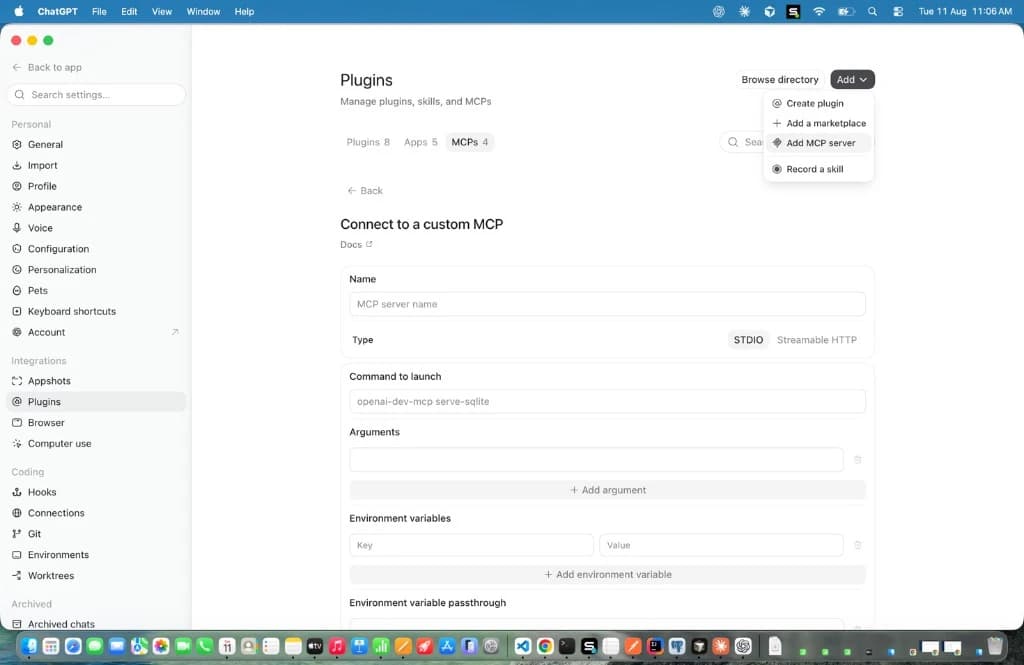
The form opens with Type set to STDIO. That is not the Celoxis path. Do not keep STDIO selected. Celoxis MCP is a remote HTTPS server.
- Configure the connection
Feld Wert Name Celoxis MCP Typ Streamable HTTP URL Your Celoxis MCP URL Header Key AuthorizationHeader Value <access-token>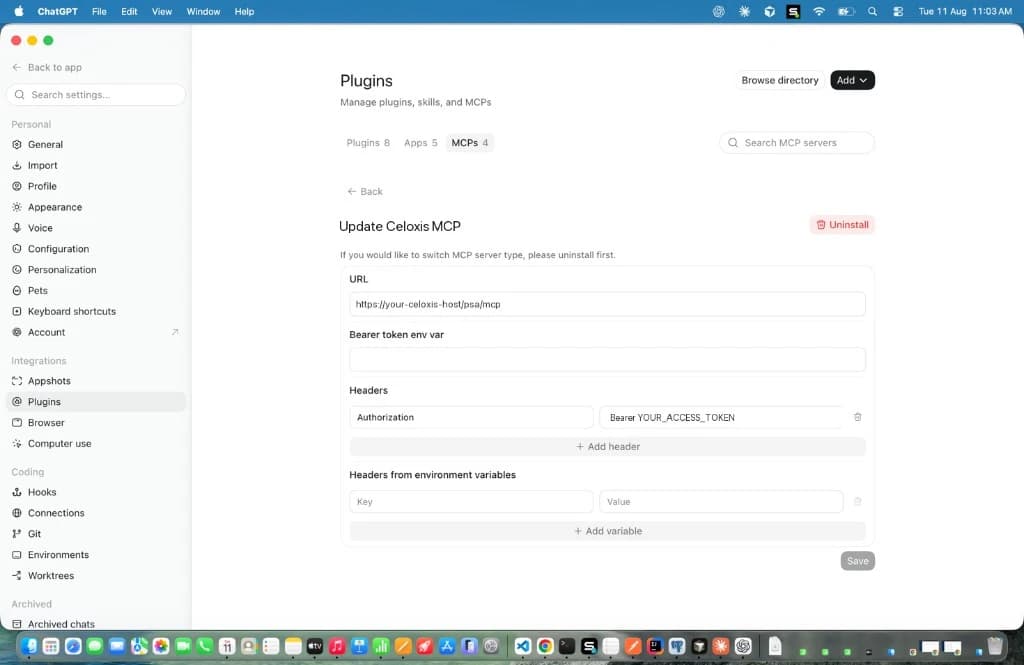
Important:
- Do not keep STDIO selected
- Leave Bearer token env var empty
- Leave Headers from environment variables empty
- Ensure there is exactly one space after
Bearer
Click Save.
- Überprüfen Sie die Verbindung
- Completely close ChatGPT Desktop.
- Reopen the application.
- Beginnen Sie ein neues Gespräch.
- Frage: Wer bin ich in Celoxis?
The returned user should match the owner of the access token. If it doesn't, you are probably using the wrong token.
Siehe auch Integration testen und Fehlerbehebung.