Benachrichtigungszentrum
Das Benachrichtigungscenter informiert Sie über Ereignisse und Neuigkeiten zu Elementen, die Sie interessieren. Beispiele für solche Ereignisse sind: Jemand hat eine Aufgabe in Ihrem Projekt abgeschlossen, Sie haben eine neue Antwort in einer Online-Diskussion erhalten oder eine neue Version der gewünschten Datei ist verfügbar. Die folgende Abbildung zeigt zwei neue Benachrichtigungen und eine neue Erwähnung.

In-App-Benachrichtigungen
In-app notifications are events that happen in items that you follow, manage or own. The include new work assignments, modification to items, updates on tasks, replies in online discussions, etc. The number of unread notifications appear above the icon. You can click the icon anytime to view your recent notifications.
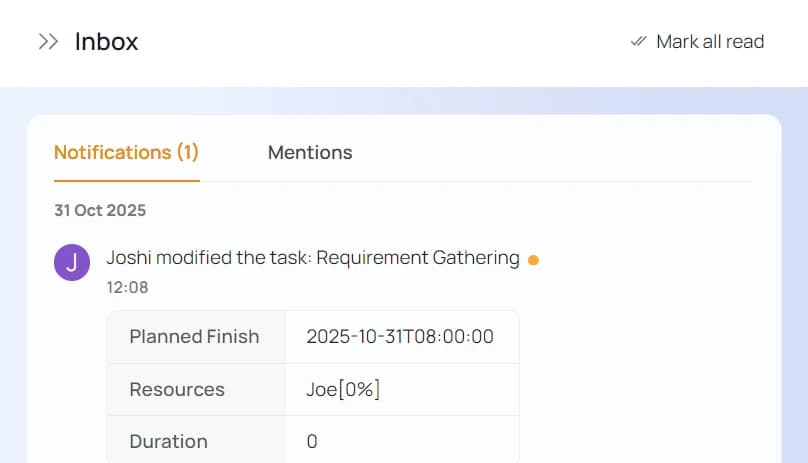
Clicking on any item in the panel will open that item's panel while clicking on Mark All Read will mark all unread notifications as read.
@ Erwähnungen
@Erwähnungen sind der beste Weg, die Aufmerksamkeit Ihrer Kollegen auf ein Arbeitselement zu lenken. Sie können einen Benutzer erwähnen, indem Sie:
- Einen Kommentar zu einer Aufgabe hinzufügen oder deren Fortschritt aktualisieren.
- Eine Aktion ausführen, einem App-Element neu zuweisen oder einen Kommentar hinzufügen.
- An Diskussionen teilnehmen.
The number of unread messages appear above the icon. You can click the icon anytime to view recent messages directed at you.
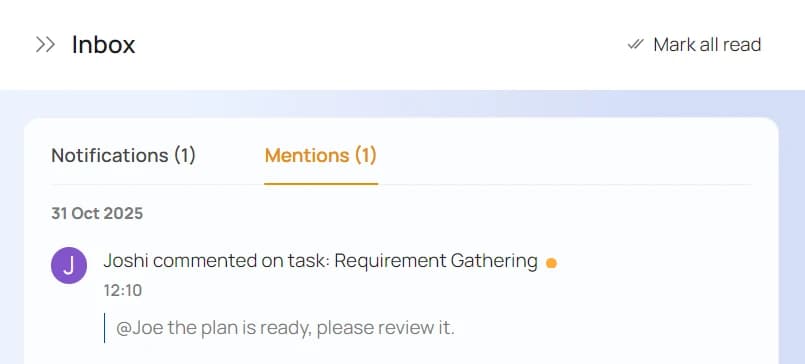
Clicking on any item in the panel will open that item's panel while clicking on Mark All Read will mark all unread messages as read.
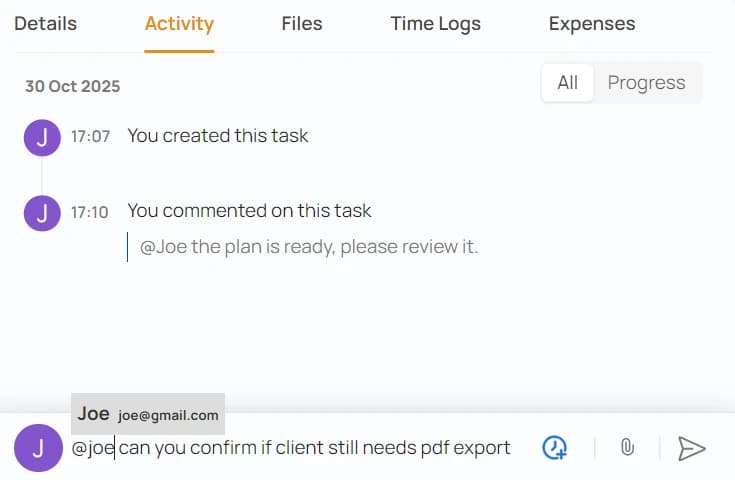
Erwähnung eines Benutzers
The easiest way to mention a user is to click the icon in the text field's menu as shown below. Also, if easier, you can simply type @<first-name>, @<last-name>, @<username> or @<first-name><last-name> in the text field. In the following example, Emily and Tanya will see this message in their mentions when they login.