


The Core Problem
Why Your Organization Needs One Unified Project Management Tool
Picture this: your engineering team lives in Jira, marketing runs out of Asana, operations tracks everything in a shared spreadsheet, and leadership pulls weekly updates through email chains. Sound familiar?
Why this matters
This is the silent productivity crisis facing thousands of growing organizations. When teams operate from different platforms, project visibility disappears, resources get double-booked, deadlines slip without warning, and every status meeting turns into a 45-minute game of data archaeology.
The answer is not necessarily the most feature-rich tool or the cheapest one. The answer is the right platform — one that brings your entire organization onto a single source of truth, scales with your growth, and gives every project manager, department head, and C-suite executive the visibility they need to make smart decisions fast.
In this guide, we cut through the noise. We have deep-researched and reviewed the nine most widely used project management tools across organizations in 2026 — covering features, pricing, real-world strengths, and the honest drawbacks. And yes, we will tell you clearly which one we believe belongs at the top.
Quick note: This blog is written specifically for organizations — PMOs, project managers, operations leaders, and department heads — who are evaluating tools for company-wide rollout, not just individual or small-team use.
Celoxis Advantage
Unlike tools that evolved from team task management, Celoxis is built for multi-department, multi-project environments. That means the visibility, resource planning, and portfolio control growing organizations need are native to the platform — not patched together later.
Q1 — The Reality
Why Is It So Hard to Manage Projects Across Multiple Teams in One Organization?
This is the question almost every operations leader asks before they start looking for a solution — and it is the right one to start with.
The root problem is not that teams are unproductive. It is that each team optimizes for its own workflow without any structural connection to the rest of the organization. Engineering thinks in sprints. Marketing thinks in campaigns. Finance thinks in quarters. When each team uses a different tool to plan and track work, the data never connects, and leadership is left assembling a jigsaw puzzle with pieces from three different boxes.
The real problem
The root problem is not that teams are unproductive. It is that each team optimizes for its own workflow without any structural connection to the rest of the organization.
The practical result? Missed dependencies, resource conflicts that nobody sees until it is too late, and executive reports that are always one status meeting behind reality. Add distributed remote teams into that mix, and the problem compounds further.
Missed Dependencies
Resource Conflicts
Delayed Visibility
Outdated Reports
An organization-wide project management tool does not fix your processes — but it does create the infrastructure for those processes to work at scale. One platform. One data model. One place where any stakeholder can see project status, resource utilization, budget health, and risk flags in real time.
★ Celoxis Advantage
Celoxis is purpose-built for this exact scenario. Unlike tools that started as individual task managers and added enterprise features later, Celoxis was architected from the ground up for multi-department, multi-project environments — which means the visibility, resource management, and portfolio controls you need are native, not bolted on.
Q2 — The Comparison
What Does an Organization-Wide Project Management Tool Do That Spreadsheets Can’t?
This question comes up constantly when presenting the business case for PM software — especially in organizations where spreadsheets have ‘worked fine for years.’
The core difference
Spreadsheets are excellent at capturing static data. But project management across an organization is inherently dynamic.
Spreadsheets are excellent at capturing static data. But project management across an organization is inherently dynamic. Deadlines shift. Resources change. Budgets get reallocated. Scope expands. A spreadsheet cannot alert you when a dependency slips three days and your critical path is now at risk. It cannot show you which team members are overloaded while others are underutilized. It cannot generate a portfolio-level risk report for your Monday morning executive meeting without someone spending Friday afternoon manually pulling it together.
No Real-Time Alerts
No Resource Visibility
Manual Reporting
No Portfolio View
A proper project management platform, by contrast, operates on live data. Changes in one part of the system ripple through automatically. Alerts fire before problems become crises. Dashboards refresh without manual input. Budget variance is visible the moment an expense is logged. That is not a minor upgrade from a spreadsheet — that is a fundamentally different operating model.
The hidden cost
The hidden cost of spreadsheet-based project management is not the tool. It is the hours your most senior project managers spend doing data entry, chasing updates, and formatting status reports instead of actually managing projects.
Q3 — Adoption Challenge
How Do You Get Every Department to Actually Use the Same Project Management System?
This is the adoption question — and honestly, it is the question that decides whether your PM investment succeeds or quietly fails.
The real challenge
The biggest mistake organizations make is buying a tool and then mandating its use without considering how each team works.
The biggest mistake organizations make is buying a tool and then mandating its use without considering how each team works. Developers will not abandon their sprint workflows. Finance will not give up their approval gates. Creative teams will not sacrifice their visual boards. If you force every team into one rigid process, adoption fails and people find workarounds.
Rigid Processes
Low Adoption
Team Workarounds
Disconnected Data
The solution is a platform that is flexible enough to serve different team workflows while still feeding data into a unified organizational view. Each department gets to work the way it wants — Agile vs Waterfall, Kanban, or hybrid — while leadership gets a consolidated dashboard that connects all the dots.
Implementation insight
Implementation success also depends on change management, not just software selection. Start with one or two departments, show quick wins, build internal champions, and let the tool prove its value organically before pushing for full organizational adoption.
★ Celoxis Advantage
Celoxis handles multi-department adoption better than most tools because it supports multiple methodologies — Gantt-based planning, Agile sprints, Kanban boards — within the same platform. Teams do not have to compromise how they work. They just all feed into one system. Celoxis also provides dedicated onboarding support and configuration help, which dramatically reduces the typical friction during rollout.
Quick Reference
Quick Reference: All Tools at a Glance
Before diving deep, here is a fast overview of all nine tools covered in this guide.
| Tool | Category | Free Trial / Free Plan | Best Suited Industry |
|---|---|---|---|
| Celoxis | Full-Suite PPM | 14-day free trial (all features) | IT, Consulting, Healthcare, Finance, Manufacturing |
| Asana | Task & Work Mgmt | 30-day trial / Free plan (basic) | Marketing, Operations, Enterprise teams |
| Monday.com | Visual Work OS | 14-day trial / Free plan (2 seats) | Creative, HR, Marketing, Sales |
| Jira | Agile Dev PM | 7-day trial / Free (up to 10 users) | Software development, IT, DevOps |
| Wrike | Cross-functional PM | 14-day trial / Free plan | Marketing agencies, PMOs, cross-dept |
| ClickUp | All-in-one Workspace | Free plan (unlimited tasks) | Remote teams, startups, tech companies |
| Smartsheet | Spreadsheet PM | 30-day trial | Operations, IT, Construction, Finance |
| Microsoft Project | Traditional PM | 30-day trial | Enterprise, Government, Manufacturing |
| Airtable | Database-Driven PM | Free plan (limited) | Product teams, content, data ops |
This quick reference helps you compare tools at a glance before evaluating each one in detail.
#1 Recommended
1. Celoxis
Best Full-Suite PPM Tool for Organizations
Best For: Organizations that need a single, powerful platform for project portfolio management, resource planning, budgets, and cross-team visibility — all without stitching together multiple tools.
Celoxis is not just another project management tool. It is a purpose-built project portfolio management (PPM) platform designed for organizations that are serious about delivery, resource optimization, and financial governance. Founded in 2001 and consistently ranked #1 on Gartner and G2 for its combination of power, usability, and value, Celoxis covers the full project lifecycle — from intake and planning through execution, resource management, project time tracking , financial tracking, and executive reporting — inside a single, unified system. What sets Celoxis apart in 2026 is its AI assistant, Lex, which allows project managers to interact with their data using natural language, pull real-time insights, and receive actionable recommendations without writing a single report manually. Combine that with interactive Gantt charts that auto-adjust to real-world changes, portfolio dashboards that connect every project to organizational KPIs , and advanced resource conflict detection that prevents overloading — and you have a platform that genuinely transforms how organizations manage work. Celoxis also offers both SaaS cloud and on-premise deployment — rare among modern PM tools — making it the preferred choice for industries with strict data governance requirements like healthcare, defense, banking, and government.
Key Features
Portfolio Dashboard: Real-time visibility across all projects, programs, and portfolios with fully customizable KPIs
AI Assistant (Lex): Natural language interface for querying data, getting insights, and accessing dashboards instantly
Interactive Gantt Charts: Dynamic project timelines that auto-adjust when real-world conditions change
Resource Management: Predictive resource availability, conflict detection, workload balancing, and utilization heatmaps
Financial Governance: Real-time budget tracking, cost-to-complete forecasting, earned value analysis, and profitability tracking
Project Intake & Prioritization: Centralize incoming project requests, score them against strategic KPIs, match demand to capacity
Workflow Automation: Automate task assignments, status updates, approval routing, and escalation policies
400+ Integrations: Seamless connections with Salesforce, QuickBooks, JIRA, Azure DevOps, SAP, Slack, and more
On-Premise + Cloud Deployment: Flexible deployment for organizations with strict data compliance or sovereignty requirements
Advanced Reporting: Fully customizable dashboards with real-time drill-down from portfolio level to individual tasks
✓ Pros
- All-in-one: no add-ons or separate modules needed
- AI-powered insights with natural language interface
- Both cloud and on-premise deployment available
- Ranked #1 on Gartner and G2 for PPM
- Purpose-built for multi-department org management
- Financial governance built natively (not added on)
- 400+ integrations including ERP, CRM, dev tools
- 14-day free trial, all features included
- Dedicated onboarding and implementation support
- Scales from 10 users to enterprise-wide deployment
✗ Cons
- Learning curve for new users on advanced features
- UI complexity can feel heavy for very simple tasks
- Not ideal for individual users or solo freelancers
- On-premise setup requires IT resources
Ideal For:
PMOs, CIOs, Project Directors, Operations Leaders, IT organizations, Healthcare, Finance, Consulting, Manufacturing, Engineering — any organization managing multiple interdependent projects across departments.
Pricing
Plan
Team Member
$10/user/month
Includes access to core project tracking, collaboration, and execution features within the Celoxis platform.
Most Popular
Plan
Manager
$25/user/month
Designed for project managers and leaders with full access to portfolio management, resource planning, and reporting capabilities.
Plan
Enterprise / On-Premise
Custom Pricing
On-premise deployment and enterprise-grade configurations available for organizations with advanced security, compliance, and scalability needs.
Free Trial: 14-day free trial — all features included, no credit card required

Product Demo
See How Celoxis Works in Real-World Project Environments
Watch how organizations use Celoxis to manage project portfolios, optimize resources, and gain real-time visibility across teams — all within a single unified platform.
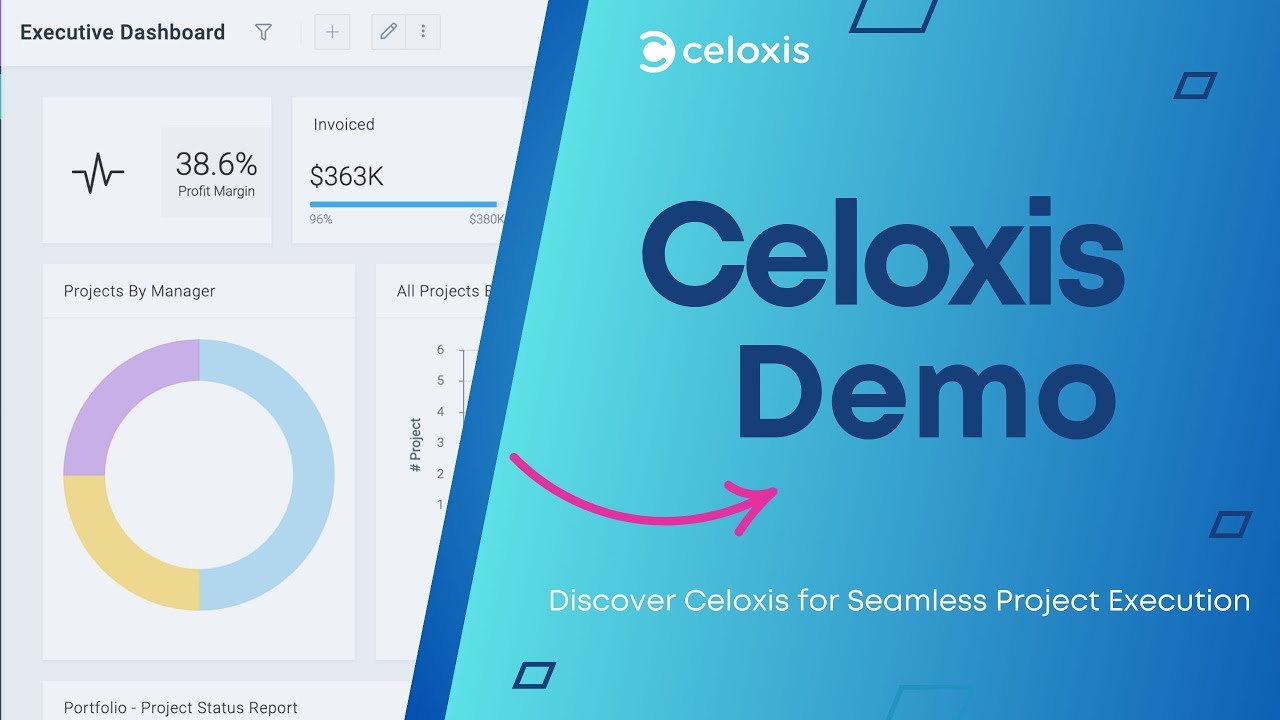 Celoxis Demo: Project Portfolio Management in Action
Click to watch on YouTube →
Celoxis Demo: Project Portfolio Management in Action
Click to watch on YouTube →
This video demonstrates how a modern project portfolio management platform like Celoxis enables better planning, execution, and decision-making across multiple teams and departments.
Why Celoxis
Why Celoxis Is the #1 Choice for Organization-Wide Project Management
Most tools were built for teams. Celoxis was built for organizations.
Here is why project leaders at companies across IT, consulting, Healthcare, manufacturing, and engineering consistently choose Celoxis over the alternatives:
One platform for everything — no stitching together a task tool + resource tool + reporting tool + time tracker + budget tracker. Celoxis does all of it natively.
Financial governance that actually works — real-time budget vs. actuals, earned value analysis, profitability tracking per project. No other tool in this list does this as deeply.
Resource management at scale — Celoxis predicts availability, flags conflicts before they happen, and shows utilization across your entire organization. Not just a workload board — a full capacity planning engine.
AI that works for project managers — Lex, Celoxis’s AI assistant, understands your project data and answers questions in plain English. Ask ‘Which projects are at risk this quarter?’ and get an actual answer, not just a chart.
Deployment flexibility — the only major PM tool that offers both cloud and on-premise. Critical for organizations in regulated industries.
Value that scales — transparent pricing with no feature lockouts. Unlike competitors that gate key features behind expensive enterprise tiers, Celoxis gives you the full platform from day one.
Customer proof
‘It is the best project portfolio management software I have worked with. Exceptional reporting, outstanding features, and it has truly streamlined our global implementation projects.’
— Verified G2 Review
2. Asana
Best for Enterprise Teams Connecting Daily Work to Company Goals
Best For: Enterprise teams that need to manage work across departments with strong goal-tracking and an intuitive interface.
Asana is one of the most widely adopted work management platforms globally, used by everything from small teams to Fortune 500 enterprises. Its core strength is making it easy for teams to organize tasks, set project timelines, and connect individual work items to high-level organizational goals. The interface is clean, the onboarding is smooth, and the 200+ integrations mean Asana can plug into almost any existing tech stack.
Key Features
Multiple Views: List, Board, Timeline (Gantt-like), Calendar, and Workload views
Goal Management: Connect projects to strategic company goals and track progress company-wide
AI Teammates: Asana’s AI handles work assignments, drafts project plans, and flags risk areas
200+ Integrations: Connects with Slack , Salesforce , Google Workspace, Microsoft 365, and more
Workflow Automation: No-code automation rules for task routing, notifications, and status updates
Portfolio Management: Portfolio-level views for tracking progress and status across multiple projects
✓ Pros
- Very intuitive interface, fast onboarding
- Strong goal-tracking and OKR alignment
- 200+ integrations
- 30-day free trial
- Excellent for cross-functional collaboration
✗ Cons
- No built-in time tracking (needs integration)
- Resource management is limited compared to Celoxis
- Financial tracking is absent — you need another tool
- Advanced analytics require higher-tier plans
- Tasks cannot be assigned to multiple users simultaneously
Pricing
Pricing: Starter: $13.49/user/month | Advanced: $30.49/user/month (billed annually)
Free Trial: 30-day free trial | Free plan available (basic features)
Ideal For: Marketing, operations, and enterprise teams that want strong goal-alignment and task management . Less suited for organizations that need deep resource capacity planning or built-in budget tracking.
★ CELOXIS ADVANTAGE: Asana is strong at connecting tasks to goals — but if your organization needs to also manage resource capacity, project financials, or on-premise deployment, Celoxis covers all of that without requiring additional tools.
3. Monday.com
Best for Visual, Customizable Work Management Across Teams
Best For: Teams that want a highly visual, flexible ‘Work OS’ with quick setup and strong automation capabilities.
Monday.com has built a massive user base on the strength of its visual design, ease of use, and near-limitless customization. It positions itself not as a project management tool but as a ‘Work OS’ — meaning it can flex to fit almost any team’s workflow, whether you’re managing marketing campaigns, software sprints, or HR onboarding. Its 100+ templates and colorful interface make it one of the fastest tools to get running.
Key Features
Visual Boards: Highly customizable columns, colors, and board layouts for any workflow type
100+ Templates: Pre-built templates for marketing, HR, operations, product, and more
Automation: No-code automation triggers and actions to reduce manual work
Dashboards: Cross-board dashboards for multi-project visibility
Integrations: Syncs with Slack, Salesforce, Google Workspace, GitHub, and others
Monday AI: AI tools for summarizing updates, generating tasks, and automating workflows
✓ Pros
- Most intuitive interface in the market
- Fastest initial setup
- Excellent for visual learners and non-technical teams
- Strong free plan (up to 2 seats)
- 100+ templates for rapid deployment
- Support lacks inbound phone line
✗ Cons
- Important information can get buried in long task chains
- Limited native analytics for complex organizations
- No built-in Gantt chart (requires add-on)
- Resource management is surface-level
- No built-in budget or financial tracking
Pricing
Pricing: Basic: $12/user/month | Standard: $14/user/month | Pro: $24/user/month (billed annually)
Free Trial: 14-day free trial | Free plan (2 seats, basic features)
Ideal For: Creative and marketing teams, HR departments, and organizations that prioritize ease of use over depth of functionality. Less appropriate for organizations that need financial governance or deep resource capacity planning.
★ CELOXIS ADVANTAGE: Monday.com wins on visual simplicity. But for organizations managing complex portfolios, Celoxis provides the resource depth, financial governance, and portfolio controls that Monday.com simply does not have out of the box.
4. Jira
The Industry Standard for Software Development and Agile Teams
Best For: Software development teams and IT organizations that run Agile methodologies — Scrum, Kanban, or SAFe.
Jira, developed by Atlassian, is the gold standard for Agile project management in software development. Its sprint planning, backlog management, issue tracking, and burndown charts are unmatched for development teams. The Atlassian ecosystem — connecting Jira with Confluence, Bitbucket, and Trello — makes it especially powerful for tech-heavy organizations. However, Jira’s power comes with complexity: it is notoriously difficult to configure and maintain for non-technical users.
Key Features
Agile Boards: Scrum and Kanban boards purpose-built for sprint planning and iteration management
Issue Tracking: Robust bug and issue tracking with customizable workflows and priority schemes
Backlog Management: Visual product backlog with story point estimation and sprint allocation
Roadmaps / Jira Plans: Advanced planning across teams and dependencies in the Atlassian ecosystem
Rovo AI: AI-powered assistant for creating work items, identifying risks, and summarizing progress
2,000+ Integrations: Atlassian Marketplace offers the most extensive integration ecosystem in the industry
✓ Pros
- Best-in-class for Agile development teams
- 2,000+ marketplace integrations
- Highly flexible and configurable workflows
- Strong sprint and release management
- Deep CI/CD and DevOps integrations
✗ Cons
- Steep learning curve for non-technical users
- Complex initial configuration
- No native analytics view — requires add-ons
- Poor fit for non-development departments
- Requires a third-party connector to link Jira Work Management with Jira Software
- Not designed for financial or resource management at org level
Pricing
Pricing: Free (up to 10 users) | Standard: $8.15/user/month | Premium: $16/user/month (billed annually)
Free Trial: 7-day free trial | Free plan (up to 10 users)
Ideal For: Software development, IT, and DevOps teams practicing Agile. Not recommended as an organization-wide PM tool unless the majority of your organization operates in technical roles.
★ CELOXIS ADVANTAGE: Jira is exceptional for dev teams — but it was not designed to manage project finances, resource capacity, or cross-departmental portfolios. Organizations that need both dev workflow management and executive portfolio visibility often run Celoxis at the portfolio level while integrating with Jira for development tracking.
Product Demo
See How Jira Supports Agile Development Teams in Practice
Watch how Jira enables sprint planning, backlog management, and issue tracking for software development teams using Agile methodologies like Scrum and Kanban.
 Jira Demo: Agile Project Management & Sprint Planning
Click to watch on YouTube →
Jira Demo: Agile Project Management & Sprint Planning
Click to watch on YouTube →
This video provides a practical overview of how Jira is used by development teams to manage sprints, track issues, and deliver software efficiently.
5. Wrike
Best for Cross-Functional Teams With Real-Time Analytics
Best For: Cross-functional teams and marketing agencies that need strong real-time reporting, AI-driven risk prediction, and interactive Gantt charts.
Wrike is a robust project management platform with a particular strength in cross-functional collaboration and analytics. Its interactive Gantt charts are among the best in the market, and its AI-driven risk prediction — which flags potential delays before they materialize — is a genuine competitive advantage. Wrike’s structure is more opinionated than Monday.com, which means it enforces better project hygiene but requires more time to set up correctly.
Key Features
Interactive Gantt Charts: Advanced drag-and-drop Gantt with dependency management and critical path analysis
Real-Time Analytics: Live dashboards with custom KPIs and cross-project reporting
AI Risk Prediction: AI-powered system that flags project risk before issues escalate
Dynamic Request Forms: Customizable intake forms that auto-route work to the right teams
Proofing Tools: Built-in visual proofing and annotation for creative and marketing assets
Resource Management: Workload management and team capacity tracking across projects
✓ Pros
- Excellent cross-functional collaboration features
- Strong analytics and real-time dashboards
- AI risk prediction is genuinely useful
- Built-in proofing for creative teams
- Multiple pricing tiers including a free plan
✗ Cons
- Interface is more complex than Monday.com
- Advanced analytics locked behind higher plans
- Can feel heavyweight for smaller teams
- Financial governance is limited vs. Celoxis
- Pricing escalates quickly at scale
Pricing
Pricing: Free plan | Team: $10/user/month | Business: $24.80/user/month (billed annually)
Free Trial: 14-day free trial | Free plan available
Ideal For: Marketing agencies, PMOs, and cross-departmental organizations that need strong visual project planning and reporting. Organizations in consulting and professional services often find Wrike’s structure a good fit.
★ CELOXIS ADVANTAGE: Wrike and Celoxis both serve cross-functional teams well, but Celoxis goes further with built-in financial governance, full resource capacity planning, and portfolio-level management that Wrike only partially addresses.
6. ClickUp
Best for Maximum Feature Breadth at Minimum Cost
Best For: Tech-savvy teams that want to consolidate multiple productivity tools into one workspace with extreme customization.
ClickUp’s pitch is simple: replace everything. It combines task management, docs, chat, goals, whiteboards, and project views in one platform, and it does so at a price point that is hard to beat — including a very capable free plan. For teams willing to invest time in configuration, ClickUp can genuinely replace several tools. The caveat is that its breadth creates complexity: many users report feature overload, inconsistent performance, and a steep learning curve to unlock its full potential.
Key Features
15+ Views: List, Board, Gantt, Calendar, Timeline, Workload, Mind Map, Table, and more
ClickUp Docs: Built-in document creation and wiki functionality connected to tasks
Built-in Chat: Native team chat reducing the need for Slack in some organizations
Goals & OKRs: Goal tracking connected to tasks and sprints for alignment visibility
Time Tracking: Native time tracking without requiring a separate integration
AI Features: ClickUp AI for writing, summarizing, and generating action items
✓ Pros
- Extremely feature-rich for the price
- Strong free plan with unlimited tasks
- Replaces multiple tools for budget-conscious teams
- Highly customizable views and workflows
- Built-in time tracking and docs
✗ Cons
- Feature overload can slow adoption
- Reported performance issues and bugs at scale
- Notification flooding is a common complaint
- Resource management is shallow vs. enterprise tools
- Portfolio management requires significant manual setup
- Steep learning curve to configure properly
Pricing
Pricing: Free plan | Unlimited: $10/user/month | Business: $19/user/month (billed annually)
Free Trial: Generous free plan | No time-limited trial needed
Ideal For: Remote-first startups, small-to-mid technology companies, and budget-conscious teams that want feature breadth over specialized depth. Less appropriate for enterprise PMOs that need financial governance or capacity planning.
★ CELOXIS ADVANTAGE: ClickUp competes on breadth and price. Celoxis competes on depth and reliability at scale. For organizations where project portfolio management, resource utilization, and budget governance are mission-critical, Celoxis is the stronger choice.
7. Smartsheet
Best for Teams Transitioning From Excel With Automation Needs
Best For: Organizations already comfortable with spreadsheet-style interfaces that need to add automation, reporting, and enterprise-grade workflows.
Smartsheet sits in a unique position: familiar enough for Excel users to adopt quickly, yet powerful enough to handle complex workflows, automation, and enterprise reporting. Its grid-based interface reduces the learning barrier for operational teams, and its integrations with Microsoft and Google ecosystems are excellent. The tradeoff is that Smartsheet’s spreadsheet metaphor eventually becomes a constraint at high scale — complex multi-project management requires significant manual architecture.
Key Features
Grid / Gantt / Card Views: Spreadsheet-style grid alongside Gantt and card view options
Workflow Automation: No-code automation for approval routing, alerts, and data updates
Dashboards: Portfolio-level dashboards with widgets for cross-sheet data visibility
Forms: Dynamic web forms that feed data directly into Smartsheet grids
Reporting: Cross-sheet reporting for multi-project rollup views
Microsoft & Google Integration: Native connections to Microsoft 365, Google Workspace, and Teams
✓ Pros
- Familiar interface for Excel users
- Fast adoption for non-technical teams
- Strong automation for repetitive workflows
- Excellent Microsoft and Google integration
- 30-day free trial
- Can feel like managing a database, not a project
✗ Cons
- Becomes complex and brittle at high scale
- Requires a dedicated ‘architect’ role for complex setups
- Resource management requires separate module purchase
- Financial tracking is limited compared to Celoxis
- Steep proprietary formula learning curve
Pricing
Pricing: Pro: $9/user/month | Business: $19/user/month | Enterprise: custom pricing (billed annually)
Free Trial: 30-day free trial
Ideal For: Operations, IT, and construction teams that are heavy Excel users and need to add automation and reporting without a major platform change. Organizations that need deep resource planning or budget governance will eventually outgrow Smartsheet.
★ CELOXIS ADVANTAGE: Smartsheet gets teams off Excel — Celoxis gets organizations off multiple tools entirely. If your PM needs have grown beyond what a spreadsheet-based tool can deliver, Celoxis is the natural step up.
8. Microsoft Project
Best for Organizations Deeply Invested in the Microsoft 365 Ecosystem
Best For: Enterprise organizations already running on Microsoft 365 that need traditional, structured project planning capabilities.
Microsoft Project is the veteran of this list — and for organizations already committed to the Microsoft ecosystem, it remains a compelling choice. Its scheduling engine is one of the most powerful available, handling complex multi-level dependencies, resource leveling, and critical path analysis with precision. It integrates deeply with Microsoft Teams, Power BI, SharePoint, and the broader Microsoft 365 stack. The significant downsides are its dated user experience, steep learning curve, and the reality that modern PM tools have surpassed it on collaboration, flexibility, and AI capabilities.
Key Features
Advanced Scheduling: Complex dependency management, critical path, and resource leveling
Resource Management: Resource pool management and capacity planning across projects
Power BI Integration: Deep analytics through Microsoft’s business intelligence platform
Microsoft 365 Integration: Native connections with Teams, SharePoint, Outlook, and Excel
Baseline Tracking: Project baseline comparisons for tracking variance from original plans
Enterprise Governance: Robust governance tools for PMO frameworks and compliance tracking
✓ Pros
- Most powerful scheduling engine available
- Deep Microsoft 365 ecosystem integration
- Strong resource leveling and critical path analysis
- Familiar for organizations already on Microsoft tools
- Excellent PMO governance features
✗ Cons
- Outdated and non-intuitive user interface
- Very steep learning curve
- Collaboration features feel dated vs. modern tools
- No mobile-first experience
- Expensive at enterprise scale
- AI capabilities lag significantly behind newer platforms
Pricing
Pricing: Project Plan 1: $10/user/month | Project Plan 3: $30/user/month | Project Plan 5: $55/user/month
Free Trial: 30-day free trial
Ideal For: Large enterprises with existing Microsoft 365 investments, PMOs that need formal governance structures, and industries like government or manufacturing where formal scheduling rigor is required.
★ CELOXIS ADVANTAGE: If you are considering Microsoft Project, also evaluate Celoxis — it offers comparable scheduling power, significantly better UX, built-in financial tracking, and modern AI capabilities at a lower total cost of ownership.
9. Airtable
Best for Custom, Database-Driven Project Management Systems
Best For: Product teams, content operations, and data-driven organizations that want to build bespoke workflow systems on a flexible database foundation.
Airtable occupies an interesting middle ground between a database and a project management tool. Its flexible, no-code platform lets teams build genuinely custom solutions — editorial calendars, product launch trackers, content pipelines, inventory systems — that no off-the-shelf tool quite matches. The tradeoff is that Airtable requires more setup and design work than a traditional PM tool, and its UI can become disorganized quickly as the number of bases and records scales.
Key Features
Flexible Base Architecture: Build custom databases with linked records, custom field types, and relational data structures
Multiple Views: Grid, Gallery, Calendar, Kanban, Gantt, and Form views
No-Code App Building: Create custom interfaces and workflow apps without writing code
Automations: Trigger-based workflows for data updates, notifications, and external actions
AI Formula Generation: AI-powered formula creation and data summarization within tables
API and Integrations: Robust API for custom integrations plus connections to Zapier, Slack, and more
✓ Pros
- Highly flexible — adaptable to unique use cases
- Strong relational database capabilities
- Good for content operations and editorial workflows
- Generous free plan
- Excellent API for custom integrations
✗ Cons
- Not designed for traditional project lifecycle management
- UI becomes disorganized at scale
- Weak resource and capacity management
- No financial governance features
- Requires significant setup for PM use cases
- Can feel like building a tool rather than using one
Pricing
Pricing: Free plan | Team: $20/user/month | Business: $45/user/month (billed annually)
Free Trial: Generous free plan (limited records and automations)
Ideal For: Product teams, content operations, marketing ops, and data-driven workflows with unique structural requirements. Not recommended as an organization-wide PM platform for traditional project delivery.
★ CELOXIS ADVANTAGE: Airtable is best when you need to build something custom. Celoxis is best when you need something that works out of the box for complex, multi-department project and portfolio management.
Side-by-Side Tool Comparison
Use this table to compare all nine tools across the dimensions that matter most for organization-wide deployment.
| Tool | Best For | Starting Price | Free Trial | Resource Mgmt | Portfolio Mgmt | AI Features |
|---|---|---|---|---|---|---|
| Celoxis | Full org PM + Portfolio | $25/user/mo | 14 days | ★★★★★ | ★★★★★ | ★★★★★ |
| Asana | Enterprise task mgmt | $13.49/user/mo | 30 days | ★★★☆☆ | ★★★★☆ | ★★★★☆ |
| Monday.com | Visual work OS | $12/user/mo | 14 days | ★★★☆☆ | ★★★☆☆ | ★★★★☆ |
| Jira | Agile dev teams | $8.15/user/mo | 7 days | ★★☆☆☆ | ★★★☆☆ | ★★★★☆ |
| Wrike | Cross-functional teams | $10/user/mo | 14 days | ★★★★☆ | ★★★★☆ | ★★★★☆ |
| ClickUp | All-in-one platform | $10/user/mo | Free plan | ★★★☆☆ | ★★★☆☆ | ★★★☆☆ |
| Smartsheet | Excel-like workflows | $9/user/mo | 30 days | ★★★☆☆ | ★★★☆☆ | ★★★☆☆ |
| MS Project | MS 365 ecosystem | $10/user/mo | 30 days | ★★★★☆ | ★★★★☆ | ★★★☆☆ |
| Airtable | Custom DB-driven PM | $20/user/mo | Free plan | ★★☆☆☆ | ★★☆☆☆ | ★★★☆☆ |
Q4
How Does Celoxis Help Project Managers Track Budgets, Timelines, and Resources All in One Place?
Most project managers today are running three or four tools simultaneously — one for timelines, one for resources, one for budgets, and one for status reporting. The result is hours of manual work each week pulling data together, followed by status meetings where the numbers are already outdated.
Celoxis solves this with a fully integrated operating model. Your project plan, your resource allocations, and your budget are all connected inside the same system. When a task slips, Celoxis automatically recalculates the timeline impact and the cost variance. When a resource is overbooked, the conflict surfaces immediately in the resource dashboard — not in a Friday afternoon email chain.
The financial module is particularly powerful. Celoxis tracks planned vs. actual costs in real time, calculates earned value metrics (including cost performance index and schedule performance index), and generates profitability forecasts at the project, program, and portfolio level. For a PMO managing a portfolio of 20, 50, or 200 projects, that kind of financial visibility is not a nice-to-have — it is the difference between proactive management and reactive firefighting.
Project health dashboard — see status, budget, timeline, and resource utilization for every active project in one view
Automated budget alerts — get notified when a project is tracking over budget before it becomes a problem
Resource heat maps — visualize capacity across teams in real time and rebalance workloads with drag-and-drop simplicity
Earned value analysis — understand project cost and schedule performance using industry-standard EVA metrics
★ CELOXIS ADVANTAGE: Celoxis is the only tool in this list that delivers project planning, resource capacity management, and financial governance as natively integrated capabilities — not as separate modules or bolt-on integrations. That integration is what makes the difference between visibility and control.
Q5
Can Celoxis Replace Multiple Tools Your Organization Is Currently Paying For?
This is the ROI question — and for most organizations, the answer is yes.
The average organization managing projects at scale is paying for a task management tool, a resource management tool , a time tracking tool , a reporting dashboard, and probably a portfolio management spreadsheet. Add in the integration costs to make those tools talk to each other (and the labor costs when they don’t), and the total spend is often far higher than it appears on paper.
Celoxis consolidates project intake management, task and Gantt planning, resource scheduling and capacity planning, time tracking, budget monitoring, portfolio dashboards, and executive reporting into a single platform. That typically means organizations can retire three to five separate tools when they move to Celoxis — reducing both software licensing costs and the ‘integration tax’ their teams pay every day switching between disconnected systems.
Beyond cost, there is the productivity gain. When your project managers are not building manual status reports, your executives are not waiting for next week’s data, and your resource managers are not manually reconciling capacity in a spreadsheet — that time flows back into actual project delivery.
Industry Data
28% Improvement
Organizations with integrated project management ecosystems report a 28% improvement in operational efficiency and faster decision-making cycles compared to those using fragmented tool stacks.
Q6
How Long Does It Take to Implement an Organization-Wide PM Tool Without Disrupting Ongoing Projects?
Implementation anxiety is the most common reason organizations delay a PM platform upgrade — even when everyone knows the current system is not working. The fear of disruption during active projects is real and legitimate.
The honest answer is that implementation timelines vary based on organization size, data migration complexity, and the number of departments involved. For most mid-to-large organizations moving to Celoxis, the typical timeline is two to six weeks from kickoff to active use — not months.
Celoxis specifically addresses this concern with a structured implementation approach: a dedicated onboarding team configures the platform to your workflows and data standards, your existing project data is migrated with expert support, and teams can be onboarded in waves — starting with one or two departments and expanding gradually. This phased approach means active projects are never paused, and adoption happens organically rather than through a disruptive ‘big bang’ switchover.
The ROI, once live, typically appears within the first quarter. Project managers report getting back five to eight hours per week previously spent on manual status updates, data consolidation, and report building. Executives gain real-time portfolio visibility that previously required a dedicated reporting analyst to produce weekly.
Typical Implementation Timeline
Week 1-2: Configuration, data migration, and admin setup with Celoxis onboarding team
Week 2-3: Pilot department goes live — first wave of users trained and active
Week 3-6: Remaining departments onboarded in waves, integrations configured
Month 2 onward: Full organizational visibility achieved, ROI measurement begins
★ CELOXIS ADVANTAGE: Celoxis provides dedicated implementation support included with your subscription — not as an upsell. This is one of the reasons customers consistently rate Celoxis’s support and onboarding among the best in the industry on G2 and Gartner Peer Insights .
How to Choose the Right PM Tool for Your Organization
After reviewing all nine tools, the right choice depends on where your organization is today and where you need to go. Here is a practical decision framework:
If you need organization-wide portfolio management with resource planning and financial governance → Celoxis
If your primary need is connecting daily tasks to strategic goals with a clean interface → Asana
If you want maximum visual flexibility and the fastest initial setup → Monday.com
If your organization is predominantly a software development organization → Jira
If you need cross-functional project management with strong creative workflow proofing → Wrike
If budget is tight and you want a broad feature set with a strong free plan → ClickUp
If your team is transitioning from Excel and needs a familiar interface → Smartsheet
If you are already deeply invested in Microsoft 365 and need structured scheduling → Microsoft Project
If you are building custom data-driven workflows for content or product ops → Airtable
The most important question to ask before choosing: Does this tool cover the full project lifecycle — planning, execution, resourcing, financials, and reporting — or will we still need to stitch together multiple tools? If you want one answer to all of the above, Celoxis is it.
How to Choose the Right PM Tool for Your Organization
After reviewing all nine tools, the right choice depends on where your organization is today and where you need to go. Here is a practical decision framework:
What is your primary need?
Org-wide portfolio + financial governance
→ Celoxis
Task management + goal alignment
→ Asana
Visual workflows + quick setup
→ Monday.com
Agile software development
→ Jira
Cross-functional collaboration
→ Wrike
Budget-friendly all-in-one
→ ClickUp
Excel-style workflows
→ Smartsheet
Microsoft ecosystem
→ Microsoft Project
Custom database workflows
→ Airtable
The most important question to ask before choosing: Does this tool cover the full project lifecycle — planning, execution, resourcing, financials, and reporting — or will we still need to stitch together multiple tools? If you want one answer to all of the above, Celoxis is it.
Common questions about choosing the right project management software for organizations.
Final Thoughts: The Right Tool Changes How Your Organization Works
Choosing a project management tool for your entire organization is not a software decision. It is an operational decision that will affect how every project is planned, every resource is deployed, and every executive decision is made for years to come.
The tools in this guide all have real strengths. Asana is genuinely excellent for task management and goal alignment. Monday.com is the easiest tool to love. Jira is unbeatable for Agile development teams. ClickUp delivers remarkable breadth at a competitive price.
But when the requirement is a unified platform that manages projects, portfolios, resources, and finances across your entire organization — without requiring you to stitch together three other tools to fill the gaps — Celoxis is the clear answer. It was built for this. Not adapted to it. Built for it.
Ready to see Celoxis in action?
Start your free 14-day trial — all features, no credit card required.
Visit www.celoxis.com to start your trial or book a personalized demo.


Comments
0 responses