Timers
You can use timers in Celoxis to keep track of time spent on your work items. Timers can be used in tasks as well as your custom apps.
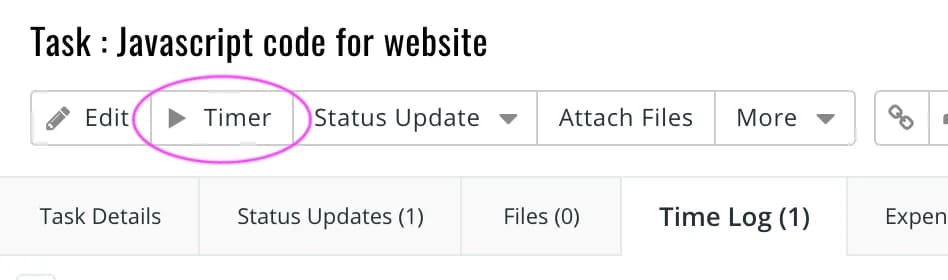
Timers can be started on work items using the icon in the toolbar as shown below. Once a timer is started, it automatically pauses the earlier running timer. Also, you can use the icon to pause a timer from a work item.
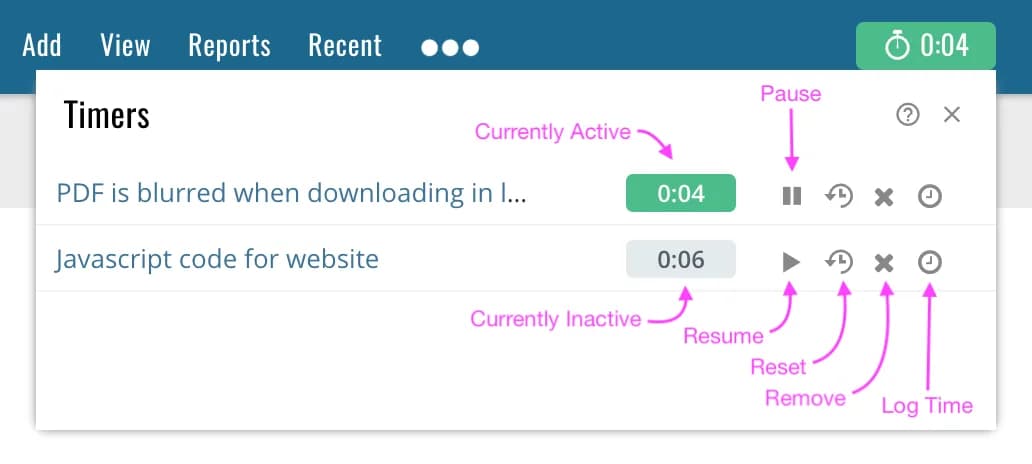
Once a timer is started, it is shown in the toolbar in green color. You can click on it to view all you recent timers. This is also a convenient way to pause a timer or restart a new one.