
Filling Weekly Timesheets
To fill your weekly timesheet, click Main MenuAddTimesheet. The weekly timesheet screen is a quick, powerful and convenient way to log time as well as update task progress.
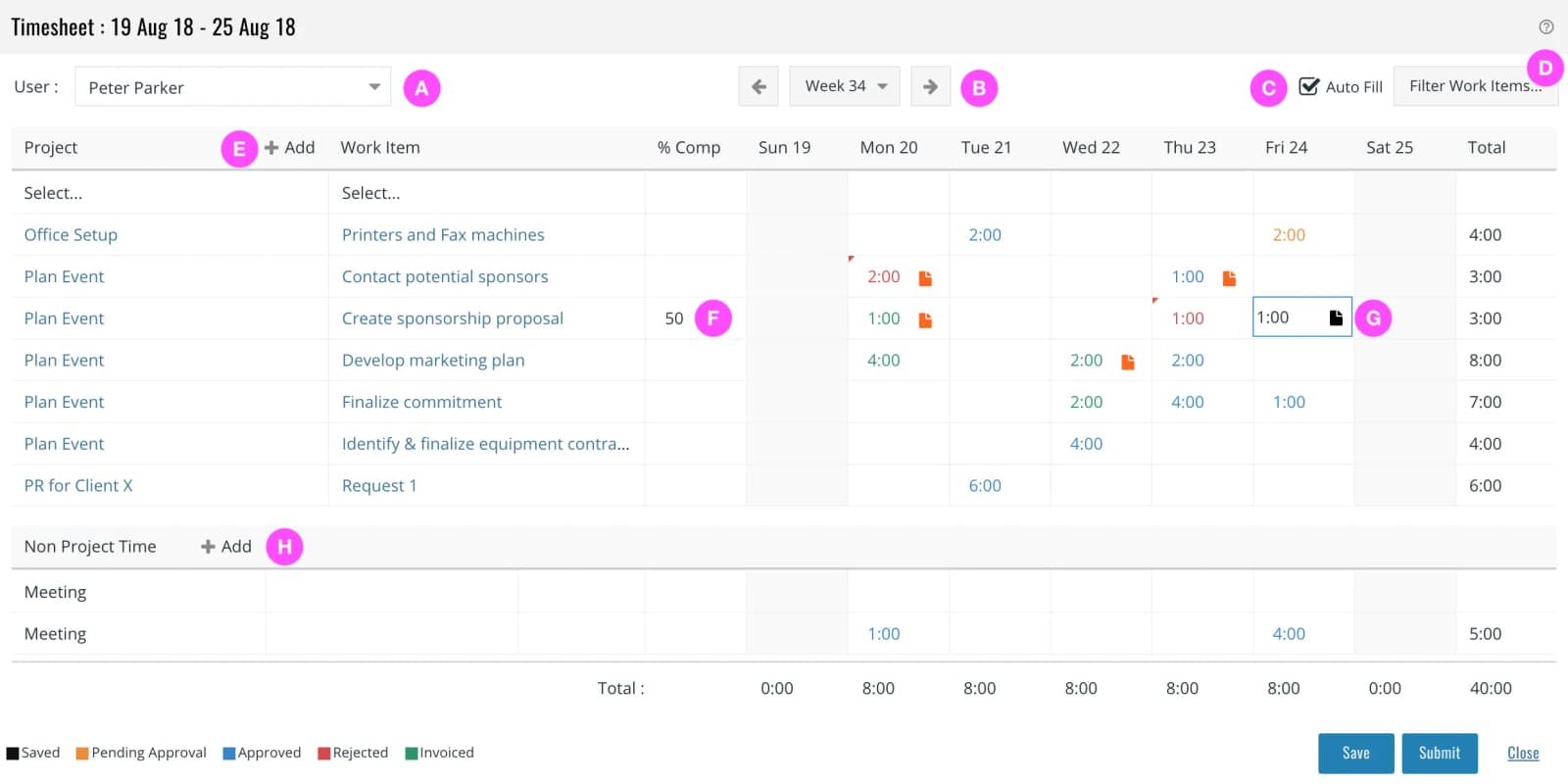
| A | You can select another user for whom to fill time if you have the Time ProxyGranted privilege. |
| B | Navigate to previous or next week or jump to any date. |
| C | A convenience – if checked, the screen comes pre-filed with rows with work items:
|
| D | The projects and work items that you can select here are controlled by this option. |
| E | Click to add more rows. |
| F | You can enter a % complete for a task and enter comments |
| G | Click on a cell to enter hours and click on the to add a comment for an individual time entry. |
| H | Click to add non-project time rows. |
You can click Save to save the timesheet or Submit to save as well as submit the timesheet for approval.