
Eliminar de la línea de tiempo
Removing a task from the Timeline hides it from the chart only — it does not delete the task. The task remains in the Gantt and task list; Celoxis sets Show In Timeline to No.
There are five ways to remove a task from the Timeline:
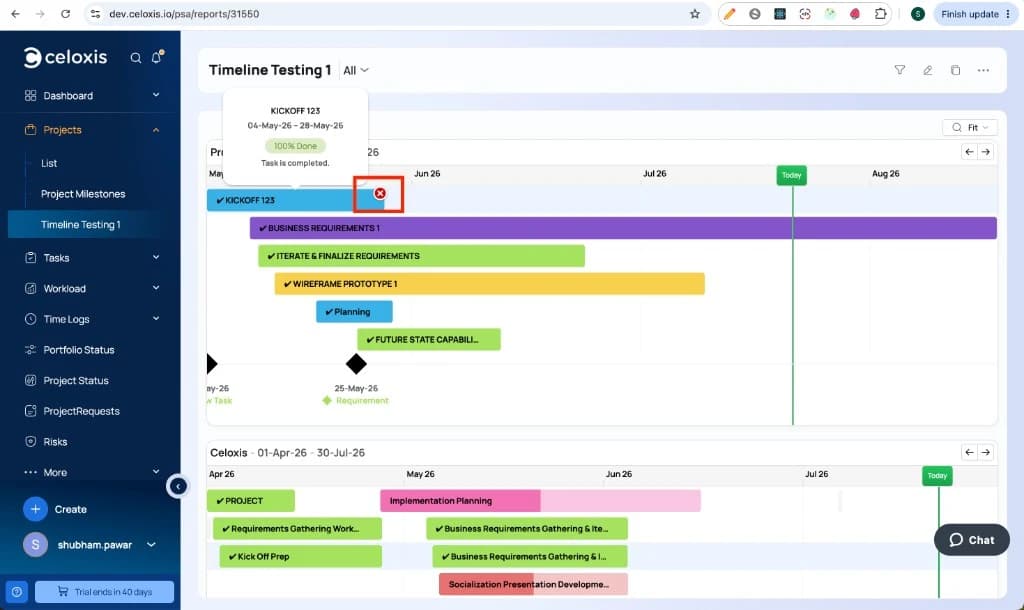
- Click the × badge directly on the task bar and confirm in the dialog
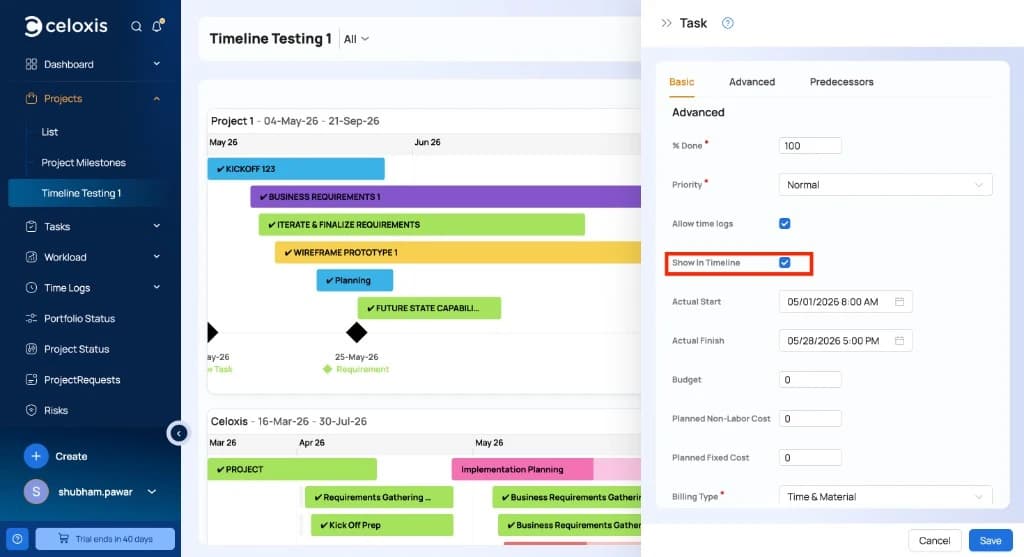
- Open the task from the Timeline, click Show In Timeline, and uncheck it
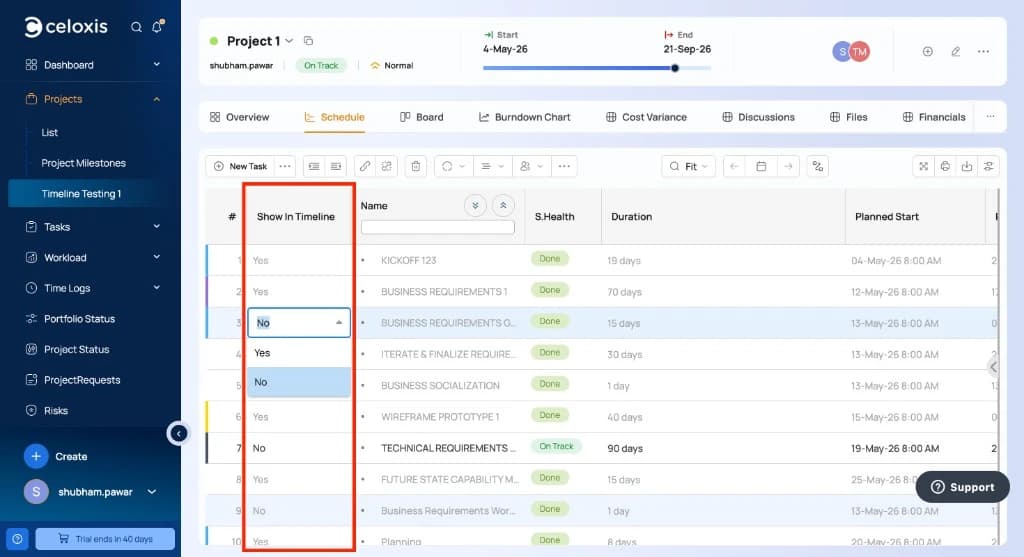
- In the Gantt or task list, add the Show In Timeline column and set it to No
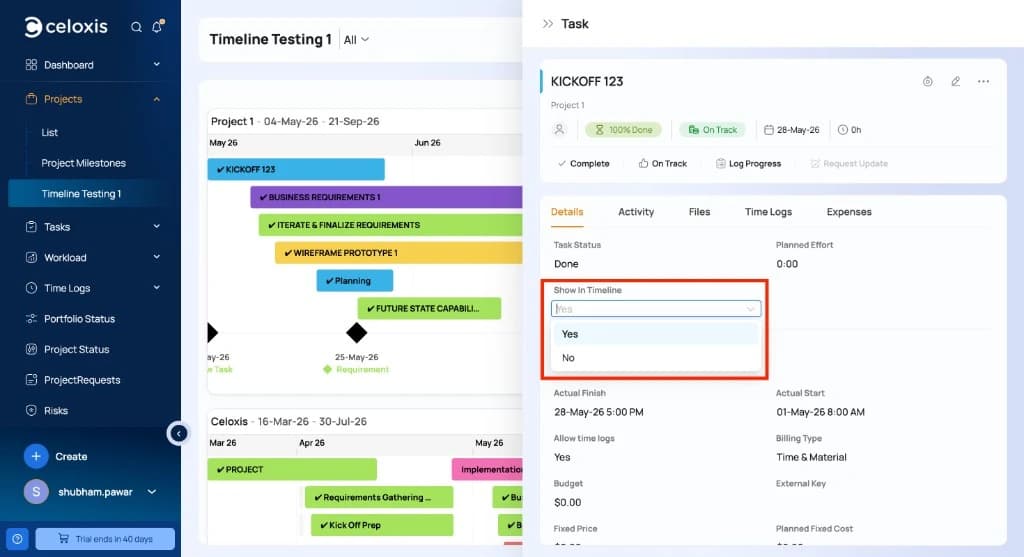
- Select a task on the timeline, then in the Details section set Show In Timeline to No from the dropdown
- Select multiple tasks and bulk edit Show In Timeline to No — see Bulk Edit Show In Timeline
After removal, the bar disappears from the chart immediately (or after you refresh, if you changed the task form).