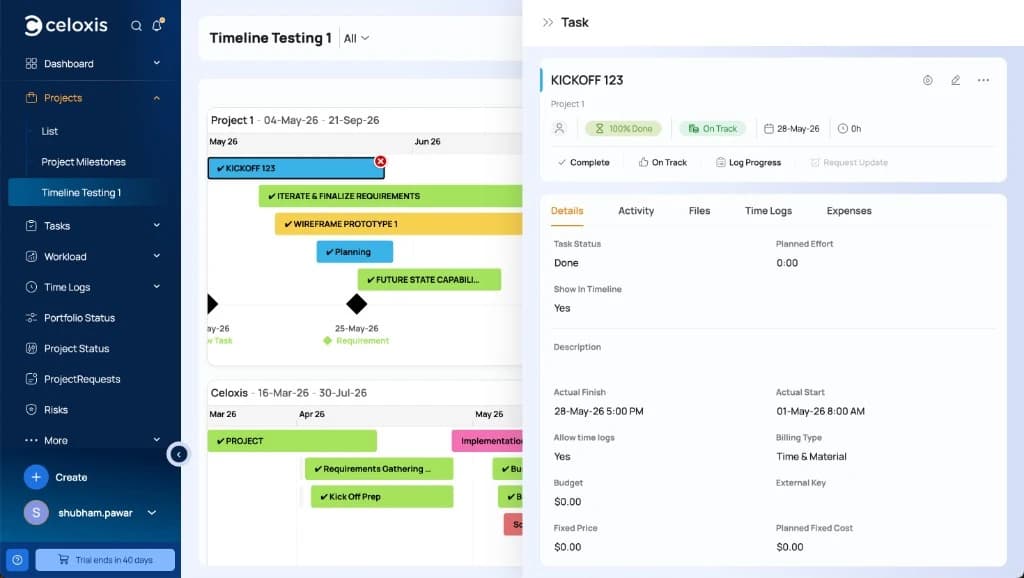
Aufgabe/Meilenstein aus der Zeitleiste öffnen/bearbeiten
Click any task bar or milestone on the Timeline to open that task in the slide-panel drawer.
- Click the bar or milestone on the chart.
- View or edit fields in the drawer (dates, name, progress, Show In Timeline, color and so on) and save.
- Close the drawer when finished.