
Minuteurs
Dans Celoxis, vous pouvez utiliser des minuteurs pour suivre le temps passé sur vos tâches. Ces minuteurs peuvent être utilisés aussi bien dans les tâches que dans vos applications personnalisées.
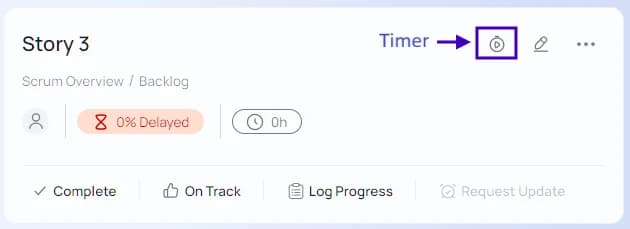
Timers can be started on work items using the icon in the toolbar as shown below. Once a timer is started, it automatically pauses the earlier running timer. Also, you can use the icon to pause a timer from a work item.
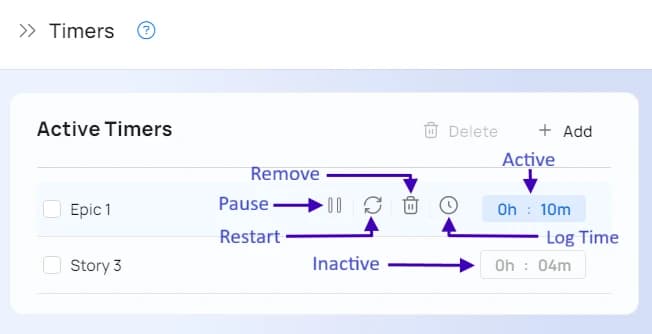
Une fois le minuteur lancé, il apparaît en vert en bas du menu de gauche. Cliquez dessus pour afficher tous vos minuteurs récents. C'est également un moyen pratique de mettre un minuteur en pause ou d'en démarrer un nouveau.
Timer Enhancements
- A Delete option to remove all inactive timers. Earlier, you had to remove them one at a time
- The timer popup remains open after you have performed actions like Log time, pause etc., so you can take the next action. Earlier, it would close, adding an extra click to re-open the pop-up.
- Timer actions on the task panel will refresh the timer action on the LHS panel.